


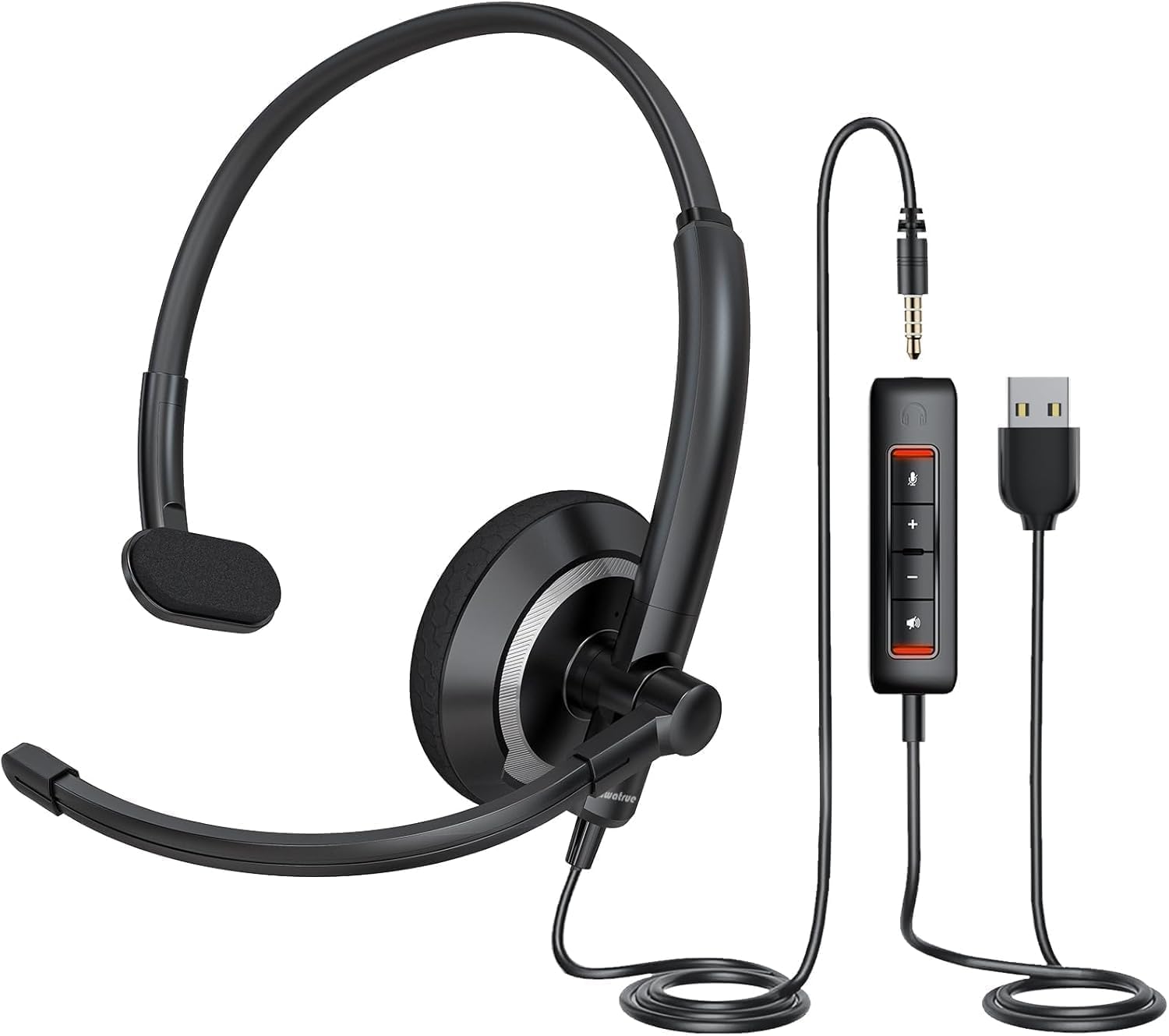

awatrue EH05-U Wired USB Headset with Noise Cancelling Microphone for PC Laptop - Headphones with In-Line Control, Lightweight, Enhanced Sound & MIC Mute
15 sold in last 24 hours
- 【Clearer Calling with Noise Cancelling MIC&Never Drop】Using the noise reduction technology can eliminate up to most surrounding noise,and wired noise cancelling is never drop and more stable than wireless headset. USB headphones can pick up your voice more accurately, allowing your friends to hear you more clearly. This is perfect for online courses, Skype chats, call centers, webinar presentations, office, corporate, Rosetta Stone, Dragon Talk, conference calls, and remote work.
- 【Long-lasting Comfort,4oz Lightweight】USB headset with microphone is not only light but also ergonomically designed, which can be adjusted freely according to different head shapes to ensure that everyone can find the most comfortable wearing method. The earmuffs are soft and fits snugly to the ears without causing any pressure on the ears. It is very suitable for long-term wearing, and you can enjoy long-lasting comfort whether you are working from home,studying or entertaining at home.
- 【Enhanced Sound & MIC Mute】The USB headset has high-quality audio performance, can transmit and receive sound clearly, and guarantees the quality of the call. MIC mute and speaker mute are convenient for users to operate during a call, and it also has a volume adjustment function, which can adjust the call volume according to user needs.
- 【Strong Built-in Steel Bars&USB Connection】Strong steel bars built into the headband of the headphone, which is stronger than other pure plastic headset and not easy to break. The USB headset with microphone is suitable for PC/tablet/Mac/iOS/laptop/Android phone and other devices with USB port.
- 【24 months Warranty Guarantee 】We can provide 100% after-sales service and we are here to promise that if you need help when using headset ,please believe us and contact us first time to help you if you need .We will unconditionally refund or resend new headset to you for free and you don't have to return goods if you are unsatisfied with headset.
Estimated shipping
Select a product to estimate shipping.How to adjust headset MIC when others cannot hear my voice?
First ,please check if the microphone mute button is turned on; Secondly, it is recommended that the distance between the microphone and the Mouth should not exceed 2 fingers (approximately 2 inches) to achieve the best sound quality.
How to set up to hear your own voice when using this wired USB headset ?
Follow the steps below to set it up on your computer:
Open "Setting" and click "System"-"Sound"-"Sound Control Panel"- "Recording"-Double click "EH05(U) Microphone"-"Listen"-Choose "Listen to this device"
Then you can hear your voice .
How to adjust if I can’t hear any sound when the headset is connected to the computer?
First check whether the USB is connected to the device stably,it is recommended to connect to another USB jack;
Second select EH05(U) as the default input/output device in the "sound"setting ;
Finally, check whether speaker mute is turned aon.
What to do if the microphone is too low?
Operate on the computer through the following steps:
Setting -Control Panel -Hardware and Sound-Sound-Recording(Select connected headset, and double click mouse )-Level (adjust mic soud)
Is it normal for a red light on the sound card to stay on?
Normal. The red light near the volume button on the improved version of the sound card will stay on, indicating that the sound card is working properly, but it does not mean that the volume mute is turned on.
Product details


| Main Specification | |
|---|---|
| Kompatible Geräte | Tabletten or Laptops or Computer or Tischcomputer |
| Thema | business office or call center or online class or online meetings |
| Hersteller | awatrue |
| Stückzahl | 1 Zähler |
| Spezifische Verwendungen für Produkte | Geschäftsbetrieb |
| Kontrollmethode | Berührung |
| Reglertyp | Button |
| Marke | awatrue |
| Kontrolltyp | Volume Control |
| Anzahl der Positionen | 1 |
| Konnektivität | verdrahtet |
| Modellbezeichnung | EH05-U |
| Wasserbeständigkeit | Nicht wasserresistent |
| Ohrplatzierung | On Ear |
| Farbe | Schwarz |
| Formfaktor | On Ear |
| Impedanz | 32 ohm |
| Positionsgewicht | 4 Unzen |
| Product information | |
| Kundenpakettyp | Standardverpackungen |
| Typ des Audiotreibers | Dynamischer Treiber |
| Audiotreibergröße | 40 millimeters |
| Item details | |
| Beschreibung des Altersbereichs | Erwachsener |
| Modellnummer | EH05-U |
| Name des Typs | usb headset with microphone for pc |
| Style | |
| Stilbezeichnung | USB-A |
| Features & Specs | |
| Zusätzliche Merkmale | Leichtgewicht or Microphone Included or Comfortable |
| Others | |
| Eingebaute Medien | Cable or User Manual or USB headset |
| Antennenstandort | business office or call center |
| BuiltIn Medien | Cable or User Manual or USB headset |
| Produkttyp | usb headset with microphone for pc |
| Material aus Gehäusen | Kunststoff |
| Kopfhörerjacke | usb |
| Kopfhörer Ohrplatzierung | On Ear |
| Ohrstückform | On Ear |
| Frequenzantwort | 20 kHz |
| Lärmschutz | Aktive Geräuschunterdrückung |
| Betreffzeichen | Business Office |
| Empfindlichkeit | 107 dB |
| Kabelmerkmale | Retractable |
| Headphone Folding Features | On Ear |